
[vc_row][vc_column][vc_column_text]Creative Media Works has announced the latest update to BBM for iPhone, which brings the ability to send images or videos without compression, voice notes & large messages support in groups, new image and video viewer in groups and iPhone X support.
BBM QR code scanner now scans all QR codes (open offers, promos or websites) and you can now view your friend’s timeline of past photo and avatar updates by clicking on their avatar in feeds or channel comments.
Users can now send images or videos without compression by sending as a file and for the kids, the classic BBM Emoji’s are back!
Voice Notes in GroupsThe new voice notes feature allows you to send audio messages to groups of contacts. To send a voice note, tap and hold the microphone icon on the lower right of the keyboard panel.
Large Messages in GroupsWhen you send long messages in Groups, BBM will display the first 2,000 words and hide the rest behind a “Read More” button. Recipients simply tap Read More to see the full message. The new message limit for Groups is 65,000 characters.
Chat with friends on Android, BlackBerry and iPhone:
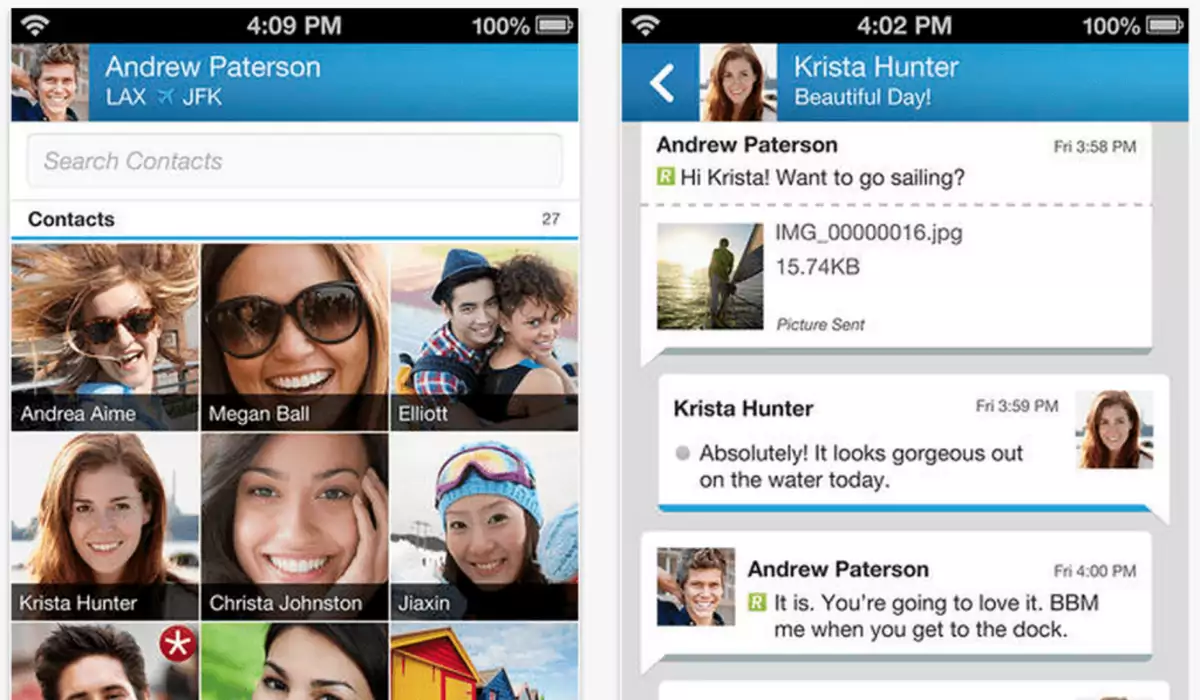
BBM is always on and always connected – no app to open Know when messages have been delivered (D’s) and read (R’s) Say ‘hello’ with BBM Voice – free voice calling between BBM Contacts Quickly share photos, files, documents, voice notes and more Allow contacts to view your location live on a map, powered by Glympse See when contacts are responding to your message Emoticons for every mood and emotion let you express yourselfCompatible with iPhone, iPad and iPod touch.
What’s New Summary: Everyone’s favourite (classic) BBM Emoji’s are back! BBM QR code scanner now scans all QR codes (open offers, promos or websites) Voice notes & large messages now supported in groups New image and video viewer in groups iPhone X full screen (portrait and landscape) now supported[/vc_column_text][/vc_column][/vc_row][vc_row css=”.vc_custom_1490466250603{margin-top: 5px !important;margin-right: 5px !important;margin-bottom: 5px !important;margin-left: 5px !important;border-top-width: 5px !important;border-right-width: 5px !important;border-bottom-width: 5px !important;border-left-width: 5px !important;padding-top: 5px !important;padding-right: 5px !important;padding-bottom: 5px !important;padding-left: 5px !important;background-color: #f4f4f4 !important;border-left-color: #eaeaea !important;border-left-style: groove !important;border-right-color: #eaeaea !important;border-right-style: groove !important;border-top-color: #eaeaea !important;border-top-style: groove !important;border-bottom-color: #eaeaea !important;border-bottom-style: groove !important;}”][vc_column width=”1/3″][vc_single_image image=”97869″ img_size=”full” alignment=”center”][vc_single_image image=”96825″ img_size=”full” alignment=”center” onclick=”custom_link” img_link_target=”_blank” link=”https://itunes.apple.com/gb/app/bbm/id690046600?mt=8″][/vc_column][vc_column width=”1/3″][/vc_column][vc_column width=”1/3″][vc_column_text]Version: 300.0.28.250 Updated: February 9, 2018 Category: Messaging Price: Free Requirements: iOS 8.1 + Developer: Creative Media Contains Ads: Yes In-app Purchases: Yes[/vc_column_text][/vc_column][/vc_row]